A test fails. The report says only that the total is wrong. Another person still needs the app setup, exact steps and expected result.
A useful bug report lets someone repeat the problem. It records what happened and what should have happened. It also makes the remaining uncertainty clear.
Start with the behaviour that is wrong
Use a title that names the feature and the failure. For the local order example, a clear title is:
Order total is 500 cents for two items costing 500 cents each
This title names the observed calculation problem. It does not invent a customer incident or a business loss.
State the environment
An environment is the setup where the app and test run. Name the app version or example used. Record the browser or runtime when it matters. A runtime is the program that executes the code.
This worked report uses the downloadable order API in broken mode. It was checked with Node.js v23.11.0. The API is an invented local example. It is separate from TestAcademy graded problems.
For a real project, include the deployed version or commit when available. A commit identifies a saved version of the project code. Avoid descriptions such as the latest version, which change over time.
Write steps that start from a known state
Include the data needed to repeat the problem. State whether the app must be running. Name the account role when access rights matter.
For this example:
- Download the order example and extract it.
- Open a terminal in that folder. Run
node server.mjs --broken. - Keep it open. In another terminal in the same folder, run
node --test total.test.mjs.
The commands run locally. They do not run in the TestAcademy browser editor. Node.js 22 or newer is needed. No extra packages are required.
Separate the expected and actual results
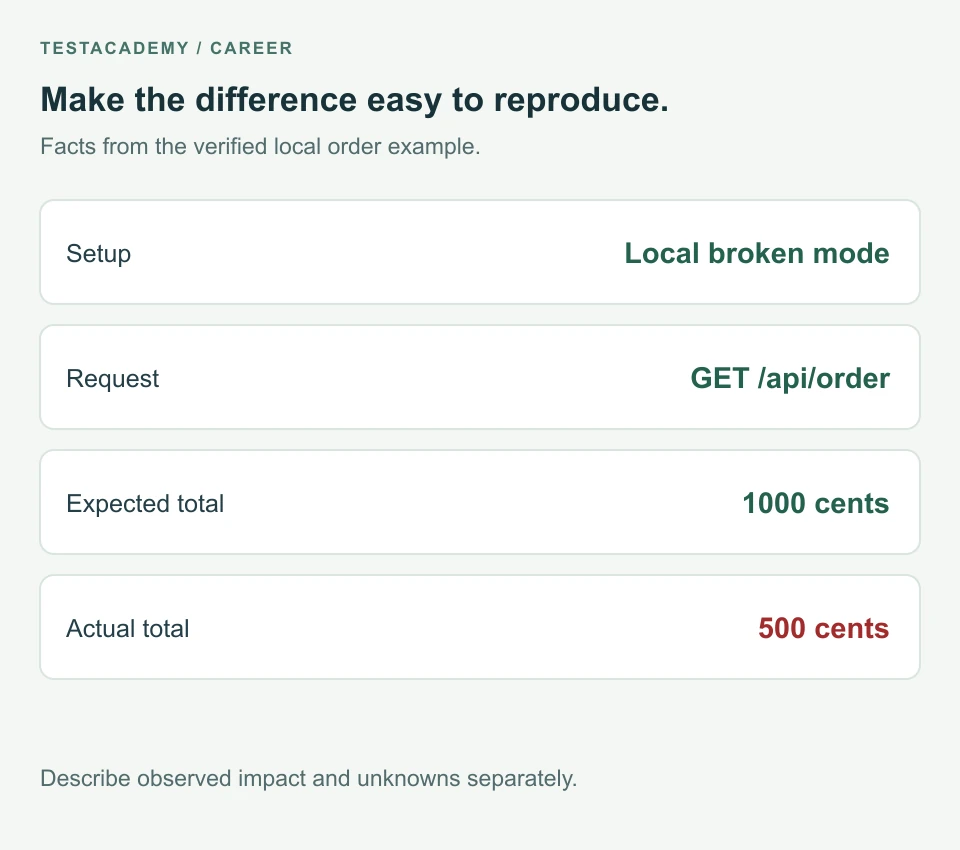
The order has two items at 500 cents each. This example has no taxes or delivery fees. The requirement is a total of 1000 cents.
Expected: The API returns totalCents: 1000. The total assertion passes.
Actual: The API returns HTTP 200 with totalCents: 500. The total assertion fails.
An assertion is a check that fails when a result is wrong. The failure output for this run is:
The total must include both items.

500 !== 1000
The report should include that evidence, not only the word failed. A screenshot can support it, but selectable error text is easier to inspect.
Describe impact without inventing it
A wrong total could affect a checkout that uses that amount. This example does not include a payment operation. The test does not show whether anyone was charged incorrectly.
State the observed effect separately from a possible effect. A team can then decide severity using the actual product context. Severity describes how serious the defect is in that context.
Give the reader a complete worked report
Read the worked order bug report. Its steps and values come from the executed example. Stop the example server with Ctrl+C when you finish.
The same test passes against the working API. That comparison supports the reported calculation difference. It does not establish that every order operation works.
The API response guide explains why HTTP 200 did not catch this error.
Remove unnecessary private data
Include only the data needed to reproduce the issue. Do not publish passwords, access tokens or customer records. A token is a value used to access an account or service.
Use an example account you are allowed to share. If a private attachment is needed, use your team's approved place for it.
Record what remains unknown
Say if you have not repeated the failure. If you suspect a cause, label it as a possibility. A failed test does not automatically prove where the app code is wrong.
For explaining the investigation, read how to discuss a failing test in a QA interview. For presenting your wider work, see the QA portfolio guide.
Download the blank bug report template. Replace its fields with facts from your own issue.
Remember this
Give someone a known setup, repeatable steps and a clear difference between expected and actual results. State what the evidence does not show.
Reference: Creating an issue on GitHub.