You receive a requirement that says a booking form accepts valid parcel weights. Your test note says, "Check the weight." Another tester cannot tell which value to enter or what should happen.
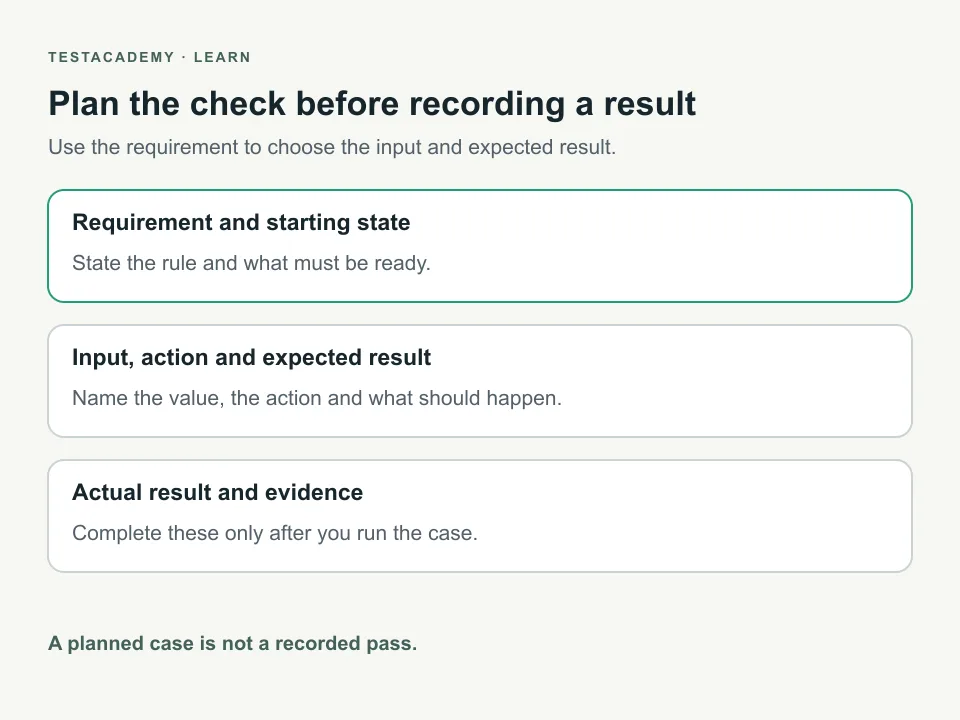
Write the expected behaviour before writing the steps. A requirement states what the app should do. A test case records the starting state, actions and expected result for one check.
QA means quality assurance. This guide helps you write cases someone else can follow. You can use them for manual testing or as a plan for automation.
Ask for the missing rules first
"Accept valid weights" is incomplete. Ask which weights are allowed, which units apply and what happens when input is invalid. Do not choose these rules yourself and present them as requirements.
We will use ParcelDesk, an invented booking form. It is an illustration, not a TestAcademy app you can open. Its example requirement says:
Accept whole kilogram weights from 1 to 20, including both limits. Reject empty input, fractions and weights outside that range. Invalid input must show a weight error and must not create a booking.
A kilogram is the unit used for weight here. Whole numbers have no fractional part. These values describe this invented requirement. They are not results from an app run.
The exact error text is not specified. A reviewer should ask whether wording needs its own requirement. The cases below require an error about weight without inventing an approved message.
Give each case a clear purpose
A title such as "Weight test" hides the decision. "Reject a weight above the allowed limit" names the behaviour.
A precondition describes what must be true before a test starts. For this illustration, other required booking fields contain valid values. The tester can inspect whether a new booking exists.
Test data is the input used for the check. Record it exactly. "Invalid weight" is not enough. The next person needs the actual value.
An expected result describes what should happen. An actual result records what happened when someone ran the case. Keep those fields separate.
Turn the requirement into specific checks
Values at a limit can expose a wrong comparison. Checking values around a limit is called boundary value analysis. For this requirement, inspect both allowed limits and values just outside them.
The table also includes a fraction and empty input. They check separate rules. These are planned cases for the illustration. They have not been run.
| Case purpose | Weight input | Expected result | Execution state |
|---|---|---|---|
| Accept the lower allowed limit. | 1 | Create a booking with weight 1 kg. | Not run. |
| Accept the upper allowed limit. | 20 | Create a booking with weight 20 kg. | Not run. |
| Reject a value below the limit. | 0 | Show a weight error. Create no booking. | Not run. |
| Reject a value above the limit. | 21 | Show a weight error. Create no booking. | Not run. |
| Reject a fractional weight. | 1.5 | Show a weight error. Create no booking. | Not run. |
| Reject missing weight. | Leave the weight field empty. | Show a weight error. Create no booking. | Not run. |
This table is a starting point. It does not prove complete coverage. Coverage describes which requirements or conditions your tests check. Ask about other input rules before adding more cases.
Show the actions and the result they should produce
Here is the above-limit case written in full. It describes a planned check, not an executed result.
| Field | Planned case |
|---|---|
| Title | Reject a parcel weight above the allowed limit. |
| Requirement | Whole kilogram weights from 1 to 20 only. Invalid input creates no booking. |
| Starting state | Booking form is open. Other required fields are valid. Existing booking references are recorded. |
| Test data | Weight is 21 kg. |
| Action | Enter the weight. Submit the booking form once. |
| Expected result | A weight error appears. No new booking is created. |
| Actual result | Not recorded. The case has not been run. |
The starting state makes the failure easier to interpret. Otherwise, another missing field could explain why no booking appeared.
The expected result includes both the message and the absence of a booking. A visible error alone does not prove that nothing was saved. In a real app, name how the tester can inspect bookings. Use an allowed account or documented API where appropriate.
For the accepted cases, also check the saved weight. A success message alone does not prove that the entered value was saved correctly.
Keep steps short without hiding necessary detail
Each action should tell the tester what to do. Avoid descriptions such as "Complete the process correctly." Name the field, value and action.
Do not combine unrelated checks into one long case. If the case fails, its purpose should help you identify the affected requirement. Add detail where it changes the result, not just to make the document longer.
Keep your cases repeatable. Each run should start from the state its case requires. If a test creates data, explain how to remove only that data afterward. Our test data cleanup guide shows a runnable API example.
Record results only after running the case
Download the QA test case template. It leaves the actual result and evidence fields empty. Fill them from your own run, not from the expected result.
Record the app version and environment. An environment is the setup where testing happens. Note whether the case passed, failed or could not run. Explain what prevented execution when a case is blocked.
If the observed result differs from the requirement, write a bug report. Link the report to the case. Keep the expected result, actual result and evidence together.
A clear case also helps during an interview. Explain why you chose the input and how you checked the result. The failure explanation guide helps you describe an investigation without guessing its cause.
Use the same reasoning when you automate
A manual case describes a check. Automation turns its actions and expected result into code. It still needs a reliable starting state and a check of the right result.
For browser tests, an assertion is a check that fails when the result is wrong. Choose an assertion that proves the requirement. A page opening without an error may leave the important behaviour unchecked.
Read how a passing test can miss a bug before deciding what to assert. Use your portfolio notes to explain the decision and its limits.
Remember this
State the requirement, starting state, input, action and expected result. Record actual results only after execution. A test case is a plan until someone runs it.
Reference: ISTQB Foundation Level syllabus, sections on test activities and boundary value analysis.