Your API test passes alone. It fails after another test leaves a record behind. The result depends on data that the test did not prepare.
Give the test its own record. Keep its ID and remove that record afterward. An ID is the value used to identify a record.
Keep control of the data your test changes
This guide uses an invented bookmarks API. A bookmark here is a saved record with a title. The API stores records in memory. There is no external database or account.
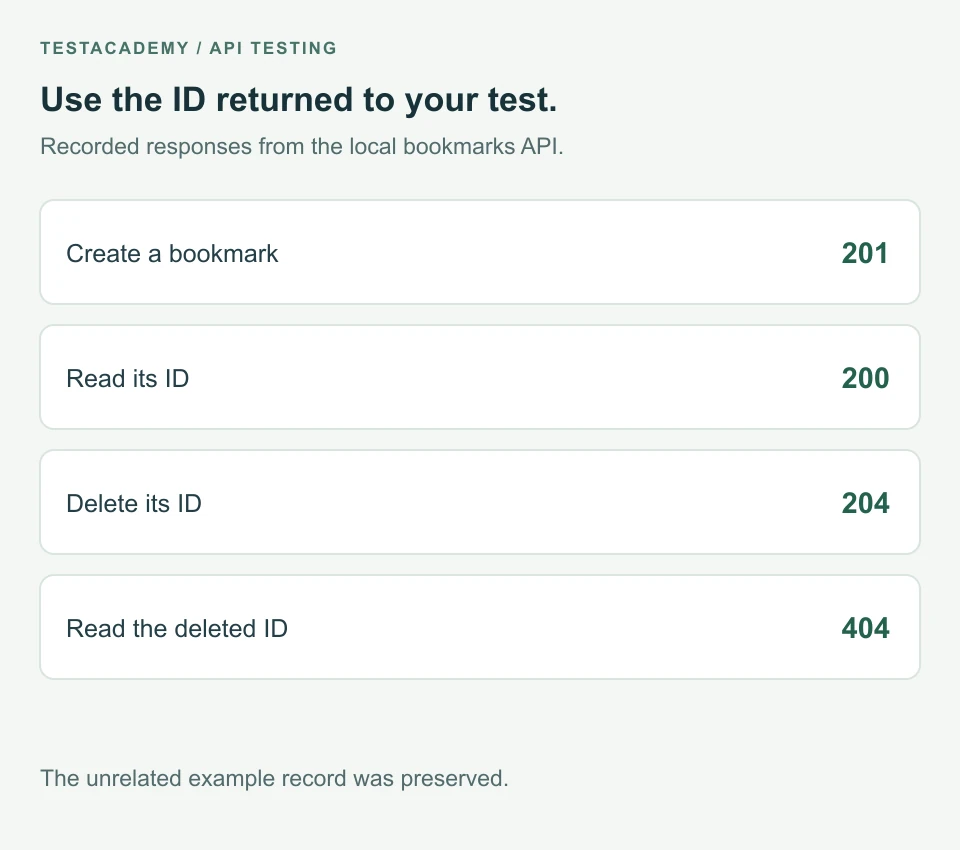
The test creates a bookmark and reads it by ID. Afterward, it deletes that same bookmark. It does not empty the whole collection.
| Action | Response checked in this example |
|---|---|
| Create the bookmark | 201 with the new ID |
| Read that ID | 200 with the saved title |
| Delete that ID | 204 with no response body |
| Read the deleted ID | 404 |
Register cleanup before the checks that may fail
An after hook is a function that runs after a test. Node's t.after registers this function. Register it once you know which record needs deleting.
This is the complete bookmark.test.mjs file:
import test from 'node:test';
import assert from 'node:assert/strict';

const url = 'http://127.0.0.1:3042/api/bookmarks';

test('reads the bookmark it creates', async (t) => {
  const created = await fetch(url, {
    method: 'POST',
    headers: { 'Content-Type': 'application/json' },
    body: JSON.stringify({ title: 'API test bookmark' }),
  });
  assert.equal(created.status, 201);
  const bookmark = await created.json();
  assert.equal(typeof bookmark.id, 'string');
  const recordUrl = `${url}/${bookmark.id}`;

  t.after(async () => {
    const removed = await fetch(recordUrl, { method: 'DELETE' });
    assert.equal(removed.status, 204);
    const missing = await fetch(recordUrl);
    assert.equal(missing.status, 404);
  });

  const saved = await fetch(recordUrl);
  assert.equal(saved.status, 200);
  assert.equal((await saved.json()).title, 'API test bookmark');
});
The imports load Node's test and assertion tools. fetch sends the API requests. The first request creates a bookmark. The status check requires 201 before the test reads the returned data.
bookmark.id identifies the created record. recordUrl builds its address. The after hook uses that address to delete only this record.
The main check reads the saved bookmark. It requires the title sent during creation. The after hook then requires a successful deletion and a 404 response for that ID.
Keep cleanup active when an assertion fails
A delete request placed only at the end of the test can be skipped. An earlier assertion may stop the test first.
An after hook runs when an assertion fails after the hook was registered. We checked this by adding a deliberate assertion failure to a separate copy. Cleanup still removed the test record. An unrelated record remained.
This does not guarantee cleanup if the test process is killed. For shared test environments, plan a separate way to remove abandoned test records. Keep that process limited to data your tests own.
Run the example again without resetting the app
Use Node.js 22 or newer. No extra packages are needed. Download the bookmarks example and extract it.
Open a terminal in that folder and start the API:
node server.mjs
Keep it open. In another terminal in the same folder, run:
node --test bookmark.test.mjs
Run that test command again without restarting the API. Each run should pass. Each run creates and removes its own bookmark. These files run locally, outside the TestAcademy browser editor.
Stop the server with Ctrl+C when finished. If port 3042 is already used, follow the download instructions to change it.
Avoid tests that delete other people's data
Do not remove every record to make a count assertion pass. Another test or person may own those records. Save the ID returned by your own setup.
Check the record you created instead of assuming a shared collection has a fixed size. In a shared system, use separate test accounts where the API supports them.
Keep the intended behaviour visible
This example checks reading a record, so deletion is cleanup. If deletion itself is the feature being tested, its assertions belong in the main test. The purpose of the test should remain clear.
For the wider problem of shared state, read how to fix flaky tests. A flaky test passes and fails without an intended change.
For a clear record of the setup and cleanup rules, use the QA portfolio README guidance. For response-body checks, see the API total example.
Remember this
Create the data your test needs. Clean up only the data it owns. Register cleanup before later assertions can stop the test.
References: Node.js test hooks and Playwright test isolation.