Your API test sends a token. The request still fails. Before changing the test, check whether the server rejected the token or refused the action.
An API lets programs exchange data. A token is a value sent to show access rights. This guide uses a local example with fixed demonstration tokens.
Read the response before changing credentials
An HTTP status code describes the request result. 401 means the request lacks valid authentication credentials. Authentication checks the credentials used to identify the caller.
403 means the server understood the request but refused it. Missing permission is a common reason. It is not the only possible reason. Read the response body and the access rules for that API.
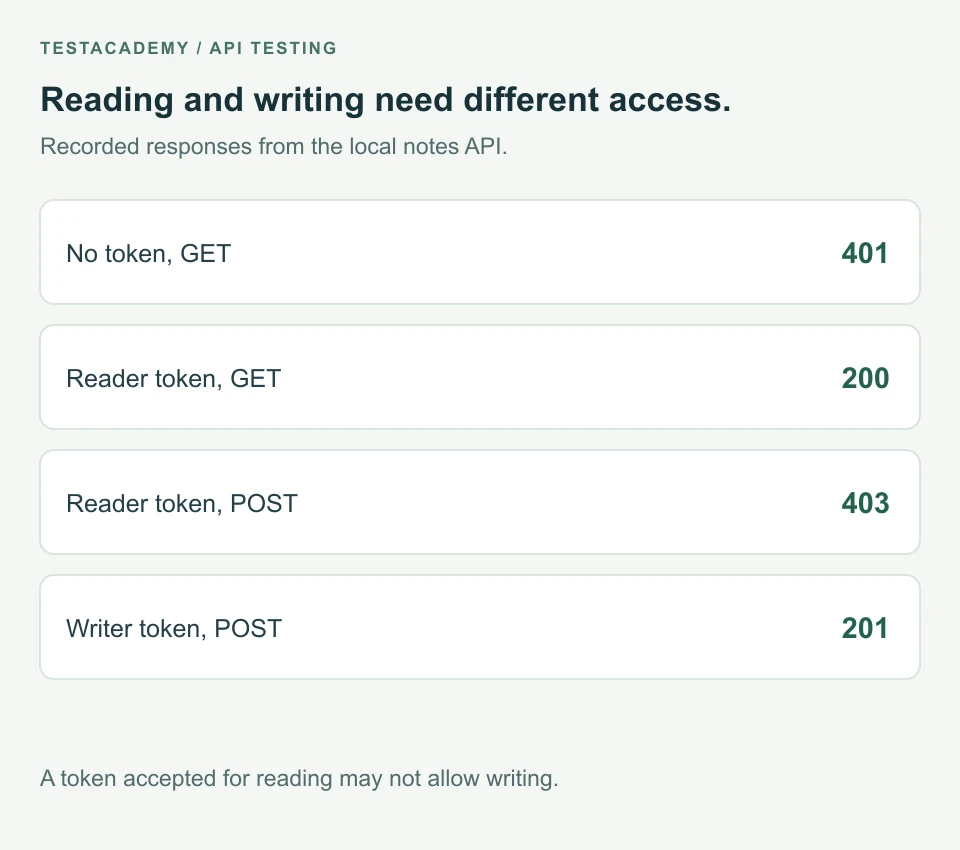
Authorization checks which actions the caller may perform. A token accepted for reading may not allow writing. These are different checks.
For the exact meanings, see HTTP 401 and HTTP 403.
Use a local notes API
The example has a notes API. GET reads notes. POST creates a note. A reader token allows GET. A writer token also allows POST.
The tokens below are public demonstration values. This server does not implement a production sign-in system. Its notes are held in memory and disappear when it stops.
| Request in this example | Result | Meaning here |
|---|---|---|
| No token | 401 | The server needs valid credentials. |
| Unknown token | 401 | The server does not accept this token. |
| Reader token, GET | 200 | The reader can read notes. |
| Reader token, POST | 403 | The reader cannot create notes. |
| Writer token, POST | 201 | The writer created a note. |
Check the permission without changing the test to accept any result
This check comes from auth.test.mjs in the download. The file defines url as http://127.0.0.1:3041/api/notes.
test('a reader can read but cannot create notes', async () => {
  const headers = { Authorization: 'Bearer reader-demo-token' };
  const read = await fetch(url, { headers });
  assert.equal(read.status, 200);

  const write = await fetch(url, {
    method: 'POST',
    headers: { ...headers, 'Content-Type': 'application/json' },
    body: JSON.stringify({ title: 'Example note' }),
  });
  assert.equal(write.status, 403);
  assert.equal((await write.json()).error, 'write_permission_required');
});
The first request reads notes with the reader token. Its 200 response confirms access to that operation. The next request uses the same token to create a note. It receives 403.
headers adds information to the request. The Authorization header carries the token. Bearer names the way it is sent. The token follows that word.
JSON.stringify turns the title into JSON text. JSON is a format for named values. The final assertion checks the error body as well as the status.
The reader must not gain write access. A test expecting 403 is checking the refusal on purpose. Changing the expected status to 201 would change the requirement.
Run all the checks
Use Node.js 22 or newer. Node.js runs JavaScript outside a browser. Its built-in test runner runs these files. No extra packages are needed.
Download the notes example and extract it. Open a terminal in that folder. A terminal is where you enter commands. Start the example API:
node server.mjs
Keep it open. In another terminal in the same folder, run:
node --test auth.test.mjs
The checks cover missing credentials, an unknown token, reader access and writer access. They pass because each response matches its stated access rule. These files run locally, outside the TestAcademy browser editor.
Stop the server with Ctrl+C when finished. If port 3041 is already used, follow the download instructions to change it.
Investigate an unexpected 401
Check the request address and method. Then check the Authorization header. Make sure the expected token was sent to the intended environment. An environment is the setup where the API runs.
In a real system, a token may expire. Use that system's documented sign-in process to obtain valid credentials. The fixed tokens in this example do not expire.
A 401 response must include WWW-Authenticate. That header describes an authentication method the server accepts. For bearer-token errors, see the bearer token specification.
Investigate an unexpected 403
Check the action the token allows. Compare the required role or permission with the account used by the test. In this example, reading succeeds while creating a note is forbidden.
Do not give every test an administrator account to remove a failure. That can hide an incorrect access rule. Keep tests for allowed actions and refused actions.
If you are new to response checks, read API testing for beginners. For successful responses containing wrong data, see why 200 OK is not enough.
Remember this
Check whether the problem is the credentials or the requested action. Assert the access rule your API actually defines.
References: HTTP status definitions and Node.js test runner.