Your API test waits for a response that never arrives. Increasing the wait limit may hide the problem. First, check what stopped the request and which system set the limit.
An API lets programs exchange data. A timeout sets how long an operation may wait. A client is the program sending the request. Its timeout differs from an error response sent by a server.
If you are new to response checks, start with API testing for beginners.
Separate a client timeout from an HTTP error
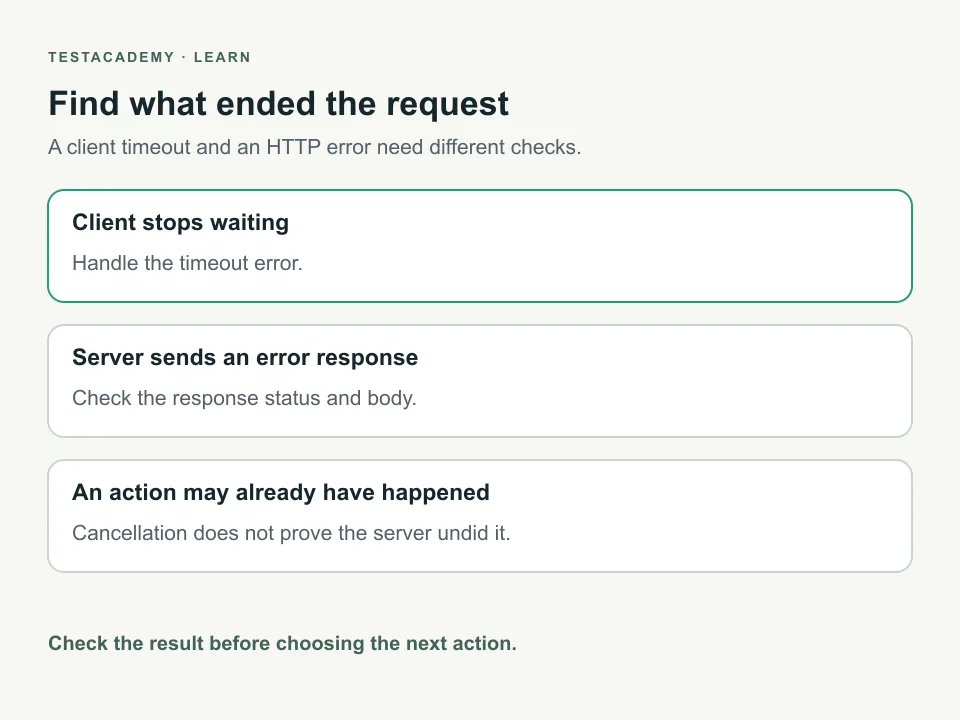
Suppose a test sends a request and stops waiting before receiving response headers. Response headers describe the reply, such as the type of data it contains. There is no HTTP response status to check. The test needs to handle the timeout error.
A server can also send an error response. HTTP is the set of rules used for these requests and responses. With JavaScript's fetch, an HTTP error status still gives you a response. Check its status instead of assuming fetch will throw.
| What happened | What to inspect |
|---|---|
| The client stopped waiting before response headers arrived. | The timeout error and the configured wait limit. |
| The server returned an HTTP error response. | The response status and body. |
| The connection failed. | The network error and whether the server was reachable. |
An HTTP 408 means the server did not receive a complete request in time. An HTTP 504 means a gateway did not receive a timely response from another server. A gateway passes requests between systems. Neither status is automatically created when your client's timer expires.
Run a local example you control
This guide includes an invented local API. It has a deliberately slow endpoint and an endpoint returning HTTP 503. An endpoint is one address provided by an API. HTTP 503 means the service is currently unavailable.
Download the timeout example and extract it. Use Node.js 22 or newer. Node.js runs JavaScript outside a browser. No packages or account are needed.
Open a terminal in the extracted folder. A terminal is where you enter commands. Run:
node --test timeout.test.mjs
The test file starts the local server and stops it afterward. It chooses an available port. You do not need a separate server command. These files run locally, outside the TestAcademy browser editor.
Check that the slow request stops waiting
This is the first check from the download. The file defines baseUrl as the running local server's address.
await test('stops waiting for the slow response', async () => {
  await assert.rejects(
    async () => {
      const response = await fetch(`${baseUrl}/slow`, {
        signal: AbortSignal.timeout(50),
      });
      await response.json();
    },
    { name: 'TimeoutError' },
  );
});
The test call names the behaviour being checked. assert.rejects requires the supplied operation to fail. It also checks that the error name is TimeoutError. A failed assertion makes the test fail.
fetch sends the request. AbortSignal.timeout creates a signal that stops waiting after the specified milliseconds. Passing it as signal applies that limit to the request. The final response.json call reads the response body as JSON. JSON is a format for named values.
The example server waits 500 milliseconds before sending its slow response. The client limit is 50 milliseconds. These are teaching settings, not measured service times or recommended limits.
We ran this check against the included server. It passed because the request ended with TimeoutError. The server's intentional delay makes this case different from a normal response check.
Keep checking HTTP responses separately
The other endpoint returns an error response without the intentional delay. This check comes from the same test file:
await test('reads an HTTP error as a response', async () => {
  const response = await fetch(`${baseUrl}/unavailable`, {
    signal: AbortSignal.timeout(2000),
  });
  assert.equal(response.status, 503);
  assert.equal(response.ok, false);
  assert.equal((await response.json()).error, 'temporarily_unavailable');
});
fetch returns a response here. response.status holds its HTTP status. response.ok is false for this error status. The last assertion checks the error value sent by the local server.
We ran this check too. It passed because the response matched those assertions. A response arrived, so the test checked its values. The longer limit is another teaching setting, not a service guarantee.
For successful responses, keep checking their content. A 200 OK response can still be wrong shows why.
Choose a limit from the requirement
Record the operation, the environment and the wait limit. An environment is the setup where the app and tests run. Compare the limit with the service's agreed behaviour. Investigate slow responses before changing the setting.
A limit that is too short can make a correct service fail its tests. A limit that is too long can leave a release check waiting unnecessarily. Do not treat this example's values as limits for your own API.
An overall test timeout is another limit. It may include setup and cleanup as well as requests. Record both limits when investigating a failure. Do not confuse this with Playwright's browser waiting errors.
Do not assume cancellation undoes an action
Stopping the client does not prove that the server stopped its work. A request that creates a record may succeed before the client times out. Retrying it without checking can create another record.
Check the API's retry rules before repeating a write. If it supports a request key that prevents duplicate actions, follow its documentation. Our example only reads data. It does not demonstrate safe retries for writes.
For tests that create records, plan test data cleanup. Keep the record's identity when the API provides one. Do not delete unrelated data after an uncertain result.
Remember this
A client timeout and an HTTP error are different results. Check the actual error or response. Cancelling a request does not prove its action was undone.
References: Node.js AbortSignal, fetch responses, HTTP 408 and HTTP 504.